
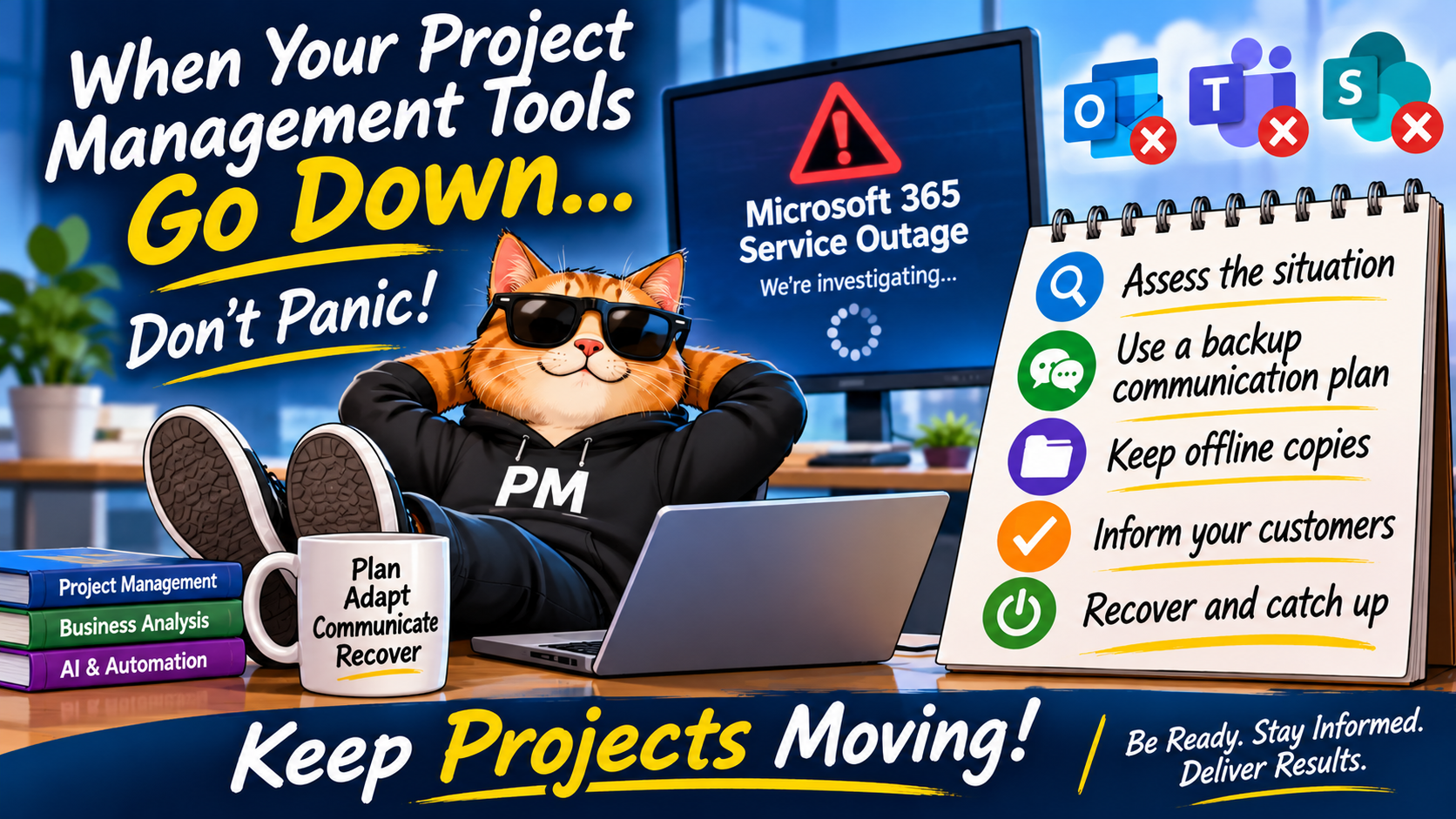
Because sometimes the biggest project risk isn’t your team, your budget, or your timeline. It’s the fact that nobody can access their email.
We have all been there.
You start your day with a plan. You have meetings scheduled, customers to contact, project updates to send, developers waiting for answers, and a list of things you promised yourself you would get done before lunch.
Then it happens.
Microsoft 365 is down. Outlook isn’t working. Teams won’t connect. SharePoint is unavailable. Maybe the entire company is having problems, or perhaps it’s a wider service outage affecting thousands of people.
Suddenly, your carefully planned day has turned into something completely different.
You can’t send emails, access project documents, check meeting notes, update project schedules, or even communicate with your own team.
Welcome to an unexpected project management exercise!
As project managers, we spend a lot of time preparing for risks that could affect our projects. We maintain risk registers, issue logs, contingency plans, and communication strategies. But how many of us have actually considered what we would do if the very tools we depend on to manage our projects suddenly became unavailable?
Technology outages happen. The question isn’t necessarily whether they will happen, but how prepared we are to deal with them.
Here are some practical things project managers can do to keep projects moving when important systems go offline.
1. Don’t panic. Assess the situation.
The first thing to do is establish what is actually happening.
Is Outlook down, or is your internet connection having problems? Is Microsoft Teams unavailable to everyone, or just a handful of users? Is SharePoint inaccessible, or is the entire Microsoft 365 environment experiencing an outage?
Before assuming the worst, take a few minutes to investigate.
A few things to check:
- Check your organization’s IT service desk or incident notification process.
- Look for official service health updates from your technology provider.
- Contact your IT support team through an alternative channel.
- Determine which applications and services are affected.
- Find out whether the outage is company-wide or limited to specific users.
- Ask whether there is an estimated recovery time, if one is available.
Most importantly, don’t start making assumptions about when things will be back online.
If IT says they are investigating, communicate that they are investigating. Don’t tell customers everything will be working again in an hour unless you have confirmation.
As project managers, we need to manage expectations just as carefully as we manage project schedules.
2. Have a backup communication plan
This is probably one of the most important lessons.
If your primary communication tool is unavailable, how are you going to communicate with your team, customers, and stakeholders?
Many project teams have become so dependent on email and Teams that they rarely consider what happens when neither is available.
Think about establishing alternative communication methods before an outage occurs.
Some options include:
- Phone calls: Keep important customer and team contact numbers available through approved company processes.
- Text messaging: Where permitted by company policy, use SMS for urgent communications.
- Alternative meeting arrangements: Know how to reach people through an approved alternative conferencing platform.
- Customer contact lists: Maintain an approved offline copy of essential project contacts.
- Escalation contacts: Know who to contact in IT, management, and the business if the outage affects critical project activities.
One important consideration: always follow your organization’s security and privacy policies. An outage doesn’t give us permission to start sharing customer information through personal email accounts or unapproved applications.
The goal is to maintain communication without creating another problem.
3. Keep working with offline and temporary files
Just because your systems are down doesn’t necessarily mean your project work needs to stop.
This is where a little preparation can make a big difference.
Think about the information you regularly need to manage your projects. What would you do if you couldn’t access it for a few hours or even a full day?
Consider maintaining approved offline copies of essential working documents.
For example:
| Document | Potential offline workaround |
|---|---|
| Project schedule | Locally available Excel or PDF copy |
| Project plan | Approved offline Word or PDF copy |
| Risk and issue log | Temporary Excel spreadsheet |
| Action items | Local working document |
| Customer contact list | Approved offline contact reference |
| Meeting agenda | Locally saved Word document |
| Status report | Temporary Word or Excel template |
| Requirements documentation | Approved offline reference copy |
A few tips for working offline:
- Save important documents locally when permitted and appropriate.
- Make sure you know where your approved offline files are stored.
- Use clear file names and dates.
- Keep temporary working documents separate from official project records.
- Record decisions, actions, issues, and changes as they happen.
- Avoid maintaining multiple uncontrolled versions of the same document.
For example, if you are waiting for Teams and SharePoint to come back online, you could maintain a temporary action log in Excel.
Record the date, action item, owner, due date, and status.
When the systems are restored, you can transfer the information into the official project repository.
The important thing is to have a way to capture information while the normal tools are unavailable.
Remember: A temporary workaround should never become an uncontrolled second system.
4. Use the downtime productively
One thing I have learned about project management is that there is almost always something that needs attention.
When the systems go down, some activities might be impossible, but others can still be completed.
For example:
- Review your project priorities and upcoming milestones.
- Prepare agendas for upcoming meetings.
- Work on documentation that is available offline.
- Review outstanding risks and issues from approved local copies.
- Prepare questions for developers, analysts, or customers.
- Organize your notes and action items.
- Think about upcoming project dependencies and potential delays.
- Prepare customer communications for when normal channels are restored.
You might even find that the outage gives you an opportunity to work on something that has been sitting on your to-do list for weeks.
Of course, don’t confuse being busy with making progress. If an activity depends on an unavailable system or another person’s input, use the time to prepare rather than pretending the work can continue normally.
5. Keep track of everything that happens during the outage
This is where the Business Analyst side of project management becomes particularly important.
When systems go down, decisions and conversations don’t necessarily stop.
People may still be making decisions over the phone, discussing requirements, agreeing on changes, or identifying new issues.
The problem is that those conversations might not be captured in the normal systems.
As PMs, we need to make sure that information isn’t lost.
I recommend maintaining a simple temporary outage log.
Capture the following information:
- Date and time of the outage.
- Systems and applications affected.
- Projects and customers impacted.
- Meetings cancelled or rescheduled.
- Activities that cannot proceed.
- Decisions made during the outage.
- Actions assigned and their owners.
- Potential schedule or milestone impacts.
- Outstanding questions requiring follow-up.
This information will be valuable when everything comes back online.
It also provides a record of what happened if someone later asks why a milestone was delayed or why an action wasn’t completed.
And remember, if the outage affects contractual commitments, customer deliverables, or critical project milestones, make sure the appropriate people are informed and involved.
6. Communicate with your customers
This is one area where project managers can really make a difference.
Customers don’t necessarily care that Outlook is down or that Teams isn’t working. What they care about is how the situation affects their project.
Are they going to receive their deliverable on time? Is training still happening? Can they access their system? Will their implementation be delayed?
The last thing you want is for a customer to discover that something has been delayed without receiving any communication from you.
Even if you don’t have all the answers, communicate what you know.
A good customer update should cover:
- What happened? Briefly explain the system outage.
- What is affected? Identify any project activities, meetings, or deliverables impacted.
- What are we doing? Explain the temporary workaround or contingency arrangements.
- What happens next? Explain what needs to happen before normal activities resume.
- When will you hear from us again? Establish a reasonable time for the next update.
Here is an example:
Hello,
I wanted to provide a quick update regarding a technology outage currently affecting some of our internal systems, including email and Microsoft Teams.
Our IT team is investigating the issue. In the meantime, we are working through alternative arrangements to minimize the impact on our ongoing projects and customer commitments.
At this point, the following activities may be affected:
- Scheduled meetings and project touchpoints.
- Access to certain project documents and shared files.
- Responses to emails and outstanding requests.
We are maintaining temporary records of outstanding actions and decisions so that nothing gets missed while our systems are unavailable.
If this outage affects any of our planned activities or deliverables, I will communicate those impacts and any necessary schedule adjustments.
Once our systems are restored, we will review outstanding communications, reconcile our project records, and confirm any changes to the project timeline.
Thank you for your patience and understanding. I will provide another update as soon as we have more information.
Regards,
Project Manager
A little communication goes a long way.
Customers are generally much more comfortable when they know what is happening, what you are doing about it, and when they can expect another update.
7. When everything comes back online: Don’t just pick up where you left off!
This is where I think project managers need to be particularly disciplined.
The temptation is to open Outlook, see hundreds of emails, jump into Teams, start responding to messages, and try to catch up as quickly as possible.
Don’t do that!
You need a recovery plan, just as you needed a contingency plan when the systems went down.
Think of it as a mini-project recovery exercise.
The PM’s system recovery checklist
- Confirm everything is working. Verify that email, Teams, SharePoint, project management applications, and other essential systems are available.
- Review your inbox. Prioritize customer communications, urgent requests, decisions, escalations, and outstanding commitments.
- Review Teams and meeting activity. Catch up on messages, missed conversations, meeting changes, and outstanding requests.
- Reconcile temporary files. Transfer actions, decisions, risks, and issues into the official project documents and systems.
- Review project schedules. Identify missed activities, dependencies, resource impacts, and potential milestone changes.
- Contact customers. Confirm that customers understand the current status, outstanding items, and any revised timelines.
- Reconnect with your team. Arrange a short recovery meeting to confirm priorities, responsibilities, and next steps.
- Close the loop. Confirm that outstanding communications and actions have been addressed and that everyone is working from the current project information.
One suggestion: don’t try to catch up on everything in chronological order.
Prioritize based on importance and impact.
A customer waiting for a critical project decision is probably more important than an internal newsletter that arrived while you were offline!
8. Reassess your project timelines and commitments
An outage might only last a few hours, but the impact could last much longer.
For example, imagine your team loses access to its systems for an entire day.
A developer cannot access the requirements. A tester cannot access the test environment. A customer cannot attend a scheduled training session. A project manager cannot obtain approvals.
Even after the systems are restored, the work doesn’t automatically catch up.
There may be dependencies that need to be rescheduled, resources that need to be reassigned, and customer commitments that need to be revisited.
As PMs, we should:
- Identify which activities were actually delayed.
- Determine whether the delays affect the critical path or key milestones.
- Review resource availability.
- Identify opportunities to recover lost time.
- Discuss revised dates with the appropriate stakeholders.
- Update project schedules and communicate approved changes.
Don’t automatically move every project milestone by the number of hours the system was unavailable. Some activities might have continued, while others might have been delayed by several days.
Understand the actual impact before changing the schedule.
9. Use AI to help with recovery
There is another opportunity here for project managers, business analysts, and AI champions.
Once your systems are restored and you have access to the relevant information, AI tools can help accelerate the recovery process.
For example:
AI-assisted email catch-up
Use an approved AI tool to summarize outstanding emails, identify customer requests, and highlight items requiring a response.
Action item identification
Review meeting notes and temporary outage logs to identify decisions, owners, due dates, and outstanding actions.
Project impact analysis
Provide approved project information to an AI assistant and ask it to identify potential impacts to milestones, dependencies, and deliverables.
Customer communications
Use AI to prepare customer updates explaining what happened, what was affected, and what actions are being taken.
Status report preparation
Use the recovered project information to help prepare updated status reports for management and customers.
A few example prompts:
Prompts to help recover from a system outage
EMAIL REVIEW
“Review these outstanding emails and group them by customer, urgency, required action, and whether a response is needed.”
Copy
ACTION RECONCILIATION
“Review these temporary project notes and create a consolidated action log with action, owner, due date, priority, and status. Flag missing information.”
PROJECT IMPACT
“Based on these project updates, identify activities affected by the system outage, potential milestone impacts, dependencies, and recommended recovery actions.”
CUSTOMER COMMUNICATION
“Draft a customer update explaining the impact of this outage, the work completed to minimize disruption, outstanding activities, and any revised project dates. Use a professional, natural, reassuring tone.”
Only use organization-approved AI tools and information sources. Validate AI-generated summaries, decisions, dates, and action owners before updating official records or communicating with customers.
AI shouldn’t be making project decisions on our behalf, but it can certainly help us get organized and catch up faster.
And that is exactly where AI can add value: helping us spend less time sorting through information and more time managing the project.
10. Learn from the outage and improve your contingency planning
Once things are back to normal, take a little time to reflect.
What worked? What didn’t? Were there documents you needed but couldn’t access? Did you have a way to contact customers? Were there activities that could have continued but didn’t because nobody had considered an alternative?
This is a great opportunity to update your project risk register and lessons learned.
Consider adding a technology dependency risk to your project planning process.
For example:
| Risk | Potential response |
|---|---|
| Email unavailable | Approved alternative communication channels |
| Teams unavailable | Alternative meeting arrangements |
| SharePoint unavailable | Approved offline document copies |
| Project management tool unavailable | Temporary action and status log |
| Extended company-wide outage | Activate organizational continuity and recovery procedures |
For larger organizations, this should also tie into established IT disaster recovery and business continuity plans. Project managers shouldn’t create competing recovery processes; they should understand and follow the organization’s established approach.
One Last Thing… Technology helps us manage projects, but it doesn’t manage them for us.
We have become incredibly dependent on technology.
Email keeps us connected. Teams keeps us talking. SharePoint stores our documents. Project management applications help us track progress. AI is increasingly helping us organize information, automate tasks, and make better use of our time.
But what happens when all of that disappears, even temporarily?
Does the project stop? Does communication stop? Do we stop managing?
Hopefully not!
A good project manager understands that the tools are there to support the work, not replace the fundamentals of project management.
We still need to communicate, manage expectations, track risks, document decisions, coordinate people, and keep customers informed.
In fact, these are the moments when good project management really becomes visible.
My biggest takeaway is this: Don’t wait for an outage to figure out how you would manage an outage.
Have a backup plan. Know where your important information is. Keep alternative communication methods available. Have a way to capture decisions and actions. And, most importantly, make sure your customers never feel like they have been forgotten just because your technology isn’t working.
Because at the end of the day, we aren’t managing Outlook, Teams, or SharePoint.
We’re managing projects, people, expectations, and outcomes.
And those responsibilities don’t go offline just because the systems do!
What about you? Have you ever had to manage a project through a major technology outage? What worked, what didn’t, and what would you do differently next time?
I’d be interested in hearing how other PMs prepare for the unexpected.
#ProjectManagement #BusinessAnalysis #ArtificialIntelligence #AI #Microsoft365 #RiskManagement #BusinessContinuity #ProjectManager #Leadership